This is one of several forms comprising the Business Auto policy. See Form Map: Business Auto for information about additional forms. The Business Auto form map topic also includes additional information about the application. |
Business Auto policy data flows from AMS360 to the Business Auto Section of the ACORD 137 form. The Business Auto Section is organized into subdivisions: Coverages, Covered Auto Symbols, Limits, and
When AMS360 creates the ACORD 127 Business Auto Section form, it also creates the ACORD 163 Commercial Auto Driver Information Schedule for any policy that covers eleven or more individual drivers, as entered in the Driver Information fields in the Line of Business section.
Property policy information from specific fields in AMS360 appears in corresponding ACORD 163 overflow form fields. You can refer to the following sample of the ACORD 163 Commercial Auto Driver Information Schedule to determine the corresponding AMS360 fields.
 ACORD 163 with Images of the Policy Data Entry Sections
Click in the area of the ACORD 163 Commercial Auto Driver Information Schedule to view the AMS360 fields from which the information flows.
When you click on a section in the ACORD form, a pop-up image of the corresponding AMS360 field(s) appears. To close this image, click outside the form.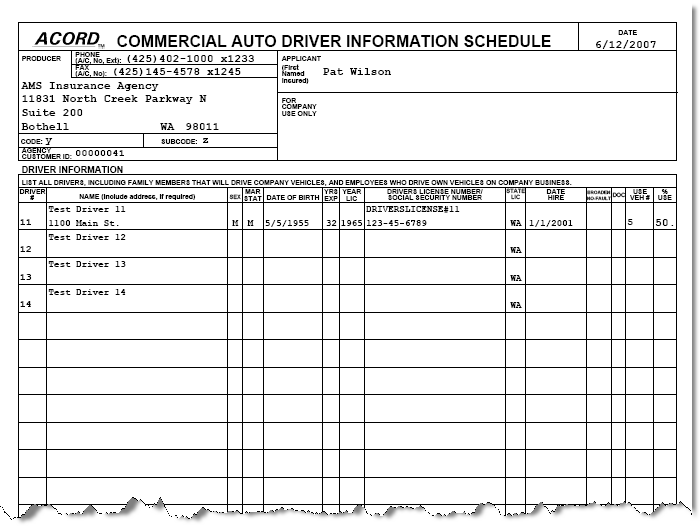
Or you may refer to a selection of images from the AMS360 user interface to determine which fields on the ACORD 163 Commercial Auto Driver Information Schedule correspond to the depicted fields from AMS360.
Policy Data Entry Sections with Images of the ACORD 163The following images represent policy information fields in AMS360. Data flows from the AMS360 fields to a corresponding section on the ACORD 163 overflow form.
Click the images to view where data appears on ACORD 163.
Policy: First Named InsuredTo access these fields in AMS360, go to Policy > First Named Insured..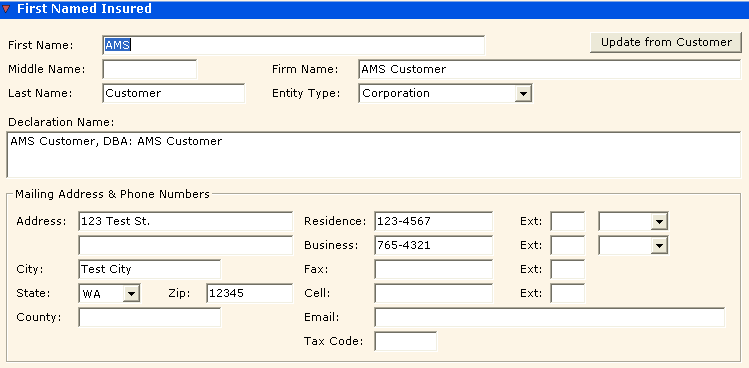
This policy applicant information originates in Customer Setup > Name and Address. If you click the button Update from Customer, information automatically flows from Customer Setup into these fields.
If you change/update the information here in the First Named Insured section of the Policy, these changes do not flow back to the customer. You may also have to update Customer Setup.
Additional Policy Information: Master Code and Sub CodeTo access these fields in AMS360, go to Policy > Basic Policy Information > Additional Policy Information. 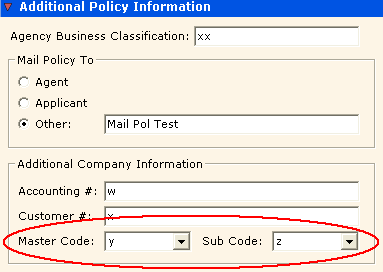
Driver InformationTo access these fields in AMS360, go to Policy > Line of Business > Business Auto > Driver Information.
If a policy covers eleven or more drivers, then AMS360 lists the additional drivers on the ACORD 163 form. The first ten drivers appear on the ACORD 127 Business Auto Section.
The fields below are the data entry fields for the highlighted grid row, driver #11. Each row in the grid represents an individual driver covered by the policy.
This example shows open information fields for Driver #0011. 