Launch Proposal Builder
Proposal Builder can be launched from one of four AMS360 Online launch points, depending on a user’s permissions
|
Proposal Builder will launch in the user’s default browser, such as Internet Explorer or Google Chrome. |
 LAUNCH POINT #1 – ADMINS ONLY
This launch point is specifically for Admins to customize Proposal Builder for their organization. They can also view all proposals that have been initiated (i.e. those that are in New, In Progress, or Generated status) from their instance of AMS360.
-
Click the 360 Toolbox on the bottom left corner of AMS360.
-
Click Proposal Builder-Admin.
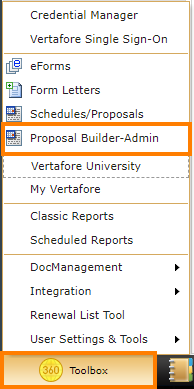
Admins Only Launch Point
LAUNCH POINT #2 - START A PROPOSAL FROM YOUR HOMEPAGE
-
Click the 360 Toolbox on the bottom toolbar of AMS360.
-
Click on Schedules/Proposals. You can then choose the customer and the relevant policies with which to build your proposal. To select more than one policy, press CTRL and click the additional policies.
-
When you are ready, click Proposal Builder.
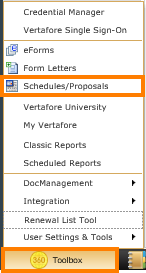
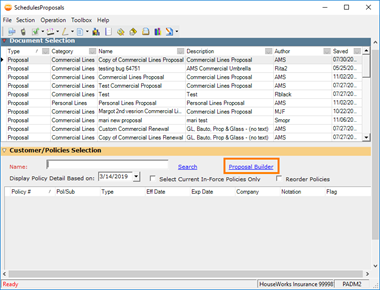
Launching Proposal Builder from the 360 Toolbox
LAUNCH POINT #3 – START A PROPOSAL FROM CUSTOMER VIEW
-
Click on the Customer tab.
-
Type a customer name in the search bar, then click Search. Click on the appropriate customer, and select the policies to include in your proposal.
-
From the action bar, click Schedules/Proposals.
-
Click the Proposal Builder link.
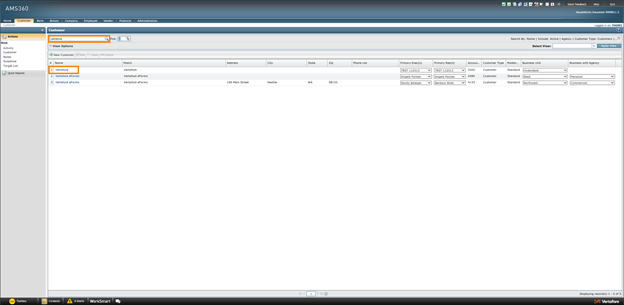
Customer Tab
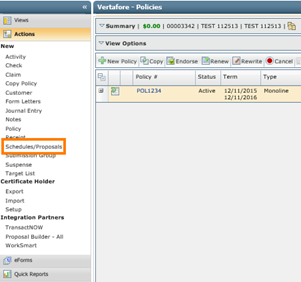
Schedules/Proposals
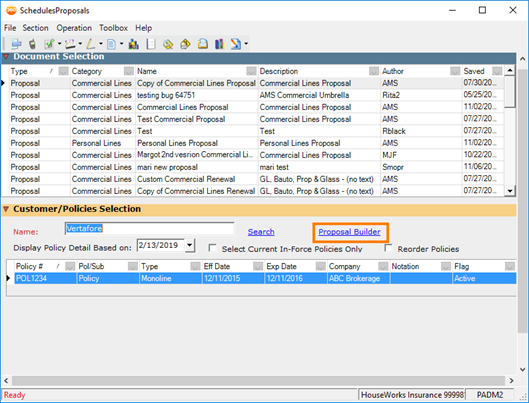
Proposal Selection
LAUNCH POINT #4 – START A PROPOSAL FROM POLICY VIEW
- Click on the Customer tab.
-
Type a customer name in the search bar, then click Search. Click on the appropriate customer, and select the policy you want to include in your proposal.
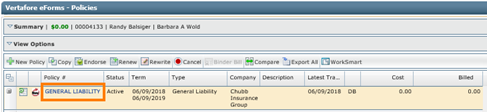
Policy
-
Click on the Schedules/Proposals button.
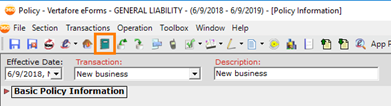
Schedules/Proposals
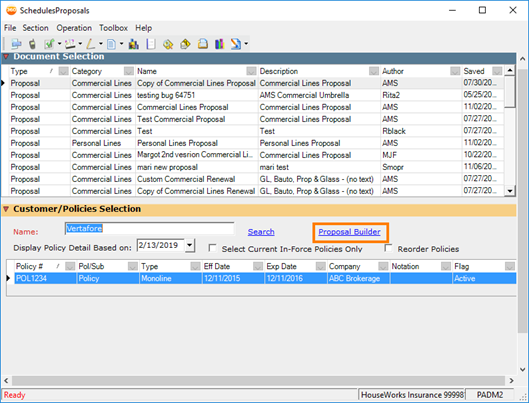
Proposal Selection
LAUNCH POINT #5 - VIEW AND EDIT PROPOSALS
-
In the Customer tab, search for and select a customer.
-
Click the Actions tab on the left-sided column.
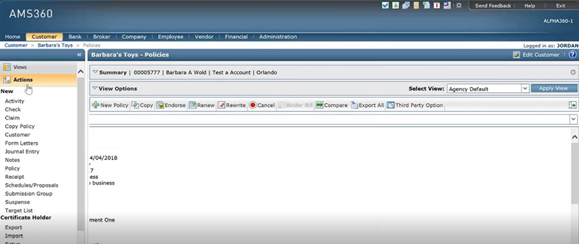
Actions Tab
-
Under Integration Partners, click Proposal Builder - All. This will launch the list of current proposals in Proposal Builder.
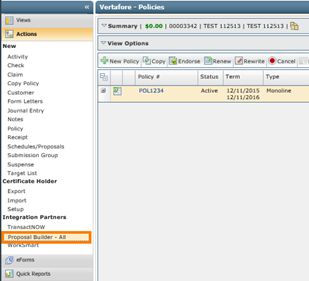
Proposal Builder – All
|
Admin users will be able to view and edit all proposals initiated from their instance of AMS360. Account Managers will be able to view and edit only the proposals that they have initiated for that customer. To view the proposals, they initiated for another customer, they will need to select that customer from the Customer tab. |