Standard Reports
Standard reports are pre-made, customizable reports that serve a variety of useful functions. There are specific reports for Managers and Account Owners.
 Accessing Standard Reports
From the Top Menu bar, click the Inbox icon. The Standard Reports table is located on the top half of the page.
Conversely, you can click "Menu" from within the Top Menu bar. Then, under Analysis, click "Reports."
Reports That Include Legacy Policies
When reports show a criteria of Amounts (e.g., "Written" or "Billed"), there will be a check-box below that includes legacy policies. This is a "smart" check-box, which means it allows the check-box to include legacy policies when the element "Billed Amounts" is selected. However, if "Written Amounts" is selected, the smart check-box is disabled.
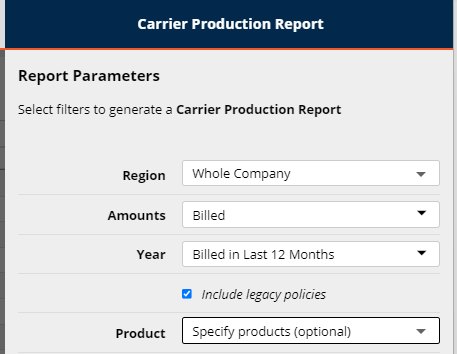
A note below the report parameters criteria explains that not including legacy policies in Written Amounts prevents policies from being potentially double-counted.
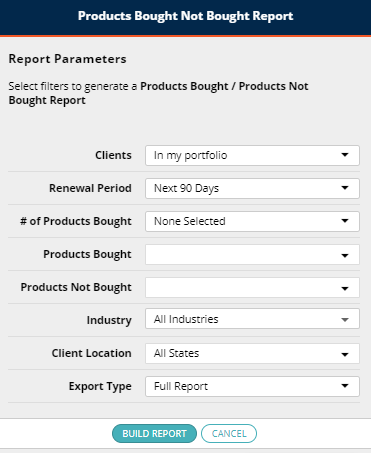
Products Bought / Not Bought Report
In addition to Products Bought / Not Bought filters within Cross Sell, there is a separate report on the Standard reports list.
This report replicates many of the filters in Cross Sell, which allows users to specify a combination of products that are bought and not bought, as well as producing a report that consists of an exported list of clients. Some agencies use this report for E & O (errors and omissions) activity.