Customer Register: On Account Inter-Divisional Transfer

|
Note: This update represents only a portion of the AMS360 24R2 release. Please navigate to AMS360 2024 R2 Release Notes to review other enhancements and fixes that were part of this release. |
A user may now transfer money between "On Account" and "Policies/Invoices" in any Division they can access.
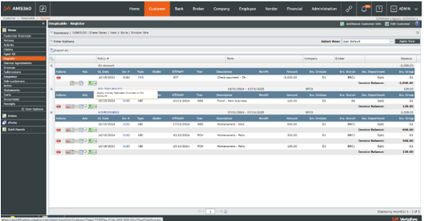
From Customer Register, select any Apply Money button for Customer On Account, Policy On Account, or a policy Invoice.
-
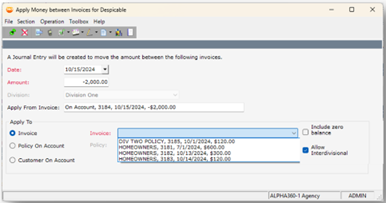
Check the "Allow Interdivisional" box and use the "Apply Money" button to transfer to any Invoice, Policy On Account or On Account (Customer) in any Division shown in the drop-down box
-
You cannot not transfer funds to another customer
In the "Apply Money" form, select "Apply To:" either "Invoice" or "Policy On Account" and then check the box for "Allow Interdivisional." The selected drop-down item for "Invoice" or "Policy" will include rows for items in other divisions you can access. Choose one to complete the "Apply Money" transfer.