Voiding an Invoice No Longer Causes Blocking

|
Note: This update represents only a portion of the AMS360 26R1 release. Please navigate to AMS360 26R1 Release Notes to review other enhancements and fixes that were part of this release. |
With this release, each invoice is processed individually whenever a void is initiated. If an error or timeout occurs, the statement is shown as "Partially Voided" and can be retried, if necessary. In addition, if specific invoices block the process from being completed, the user will see an "alert" message prior to any reattempt.
A new process has been implemented where users are no longer impacted by timeouts or other errors. Direct Bill Entry statements now process each invoice individually, rather than as a single transaction.
After voiding a Direct Bill Entry statement, a banner will appear to indicate the void request is in progress; the statement status is shown as "Partially Voided." The system then begins voiding each direct bill detail item individually. Clicking the refresh button will update the page to show the current status. Once the void is complete, the banner will disappear.
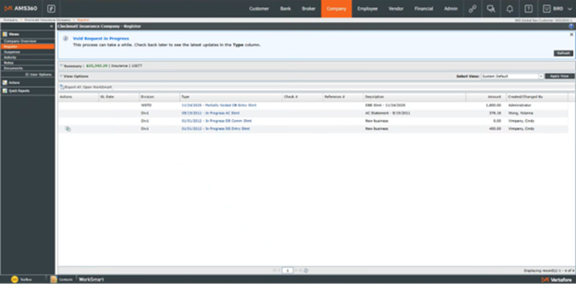
Once the Direct Bill Entry statement void process is completed, the statement status is set to "Voided" (if all invoices were successfully voided), or reset to "Posted" (if any transactions were skipped).
If one or more invoices were not voided, a green "Retry" action button will appear in the Action column.
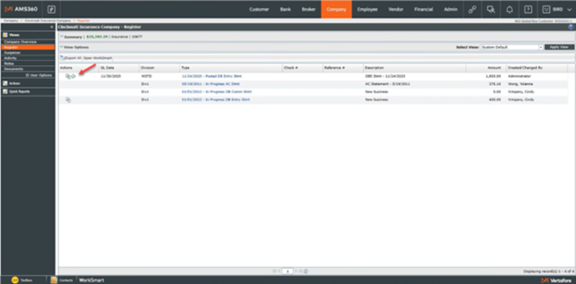
If that occurs, click the Retry button to open the statement and display the number of invoices that were not voided.
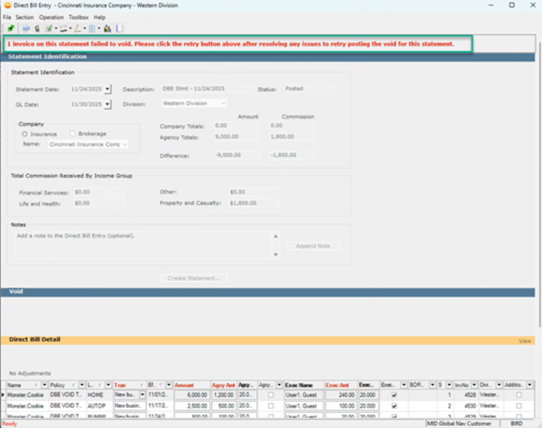
To reattempt voiding these invoices, select the green "Post" icon in the upper-left corner to restart the process.