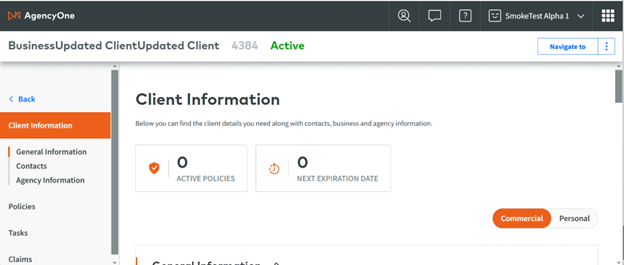
Global Navigation: Unified Search

|
Note: This update represents only a portion of the AMS360 24R2 release. Please navigate to AMS360 2024 R2 Release Notes to review other enhancements and fixes that were part of this release. |
For AMS360 users who are VSSO-enabled and provisioned for AgencyOne, a button-activated Unified Search function is now available. This enhancement improves navigation efficiency and the user experience, making it easier for users to access and manage client information across multiple systems.
|
Note: Unified Search is exclusively available to AgencyOne users, ensuring that only authorized personnel are capable of leveraging this enhanced functionality. |
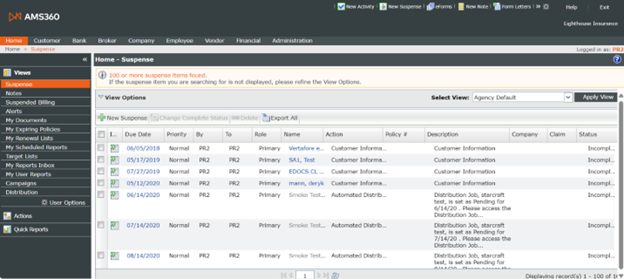
Previous AMS360 page:
NEW AMS360 page
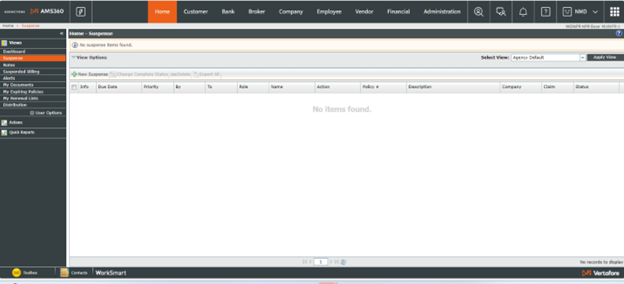
If the screen size is reduced, the home screen will open where all centers and other links can be found in the Hamburger drop-down menu (defined as the three lines found in the upper right-hand corner). This also takes place when the screen size is too small or the font is too large to fit all the buttons on-screen.
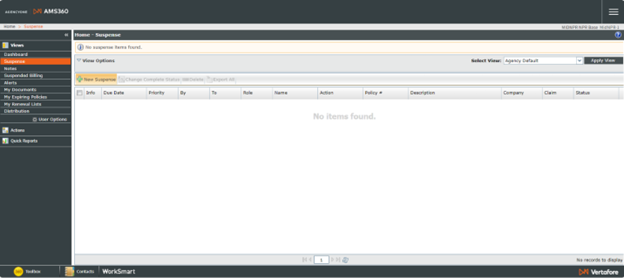
The screenshot below shows the Hamburger drop-down menu in its "open" position. A caret (>) to the right, as seen where "Quick Actions" is listed, indicates a sliding drawer will open to display a sub-menu.
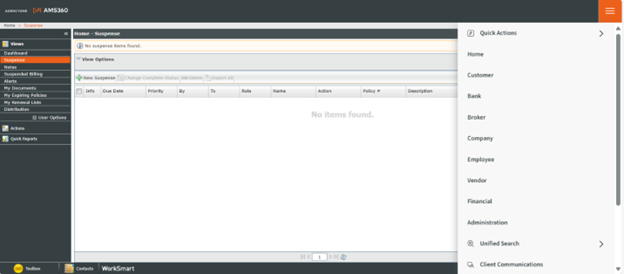
As of 25R2, we have updated the centers to what is shown below:

-
Unified Search Button
-
A new button is now available for users who are VSSO-enabled and provisioned for AgencyOne.
-
However, if an AgencyOne user is an Admin user but does not have access to the dashboard, that user will be unable to use the unified search.
-
-
-
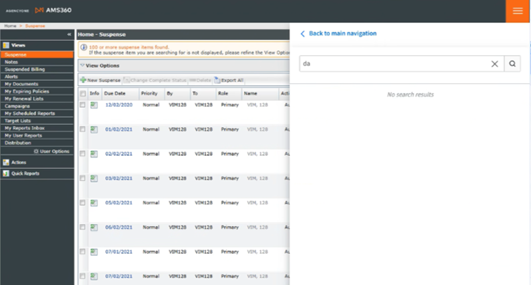
-
To use AMS360 Search as an AgencyOne Admin user, you will need Dashboard provisioning.
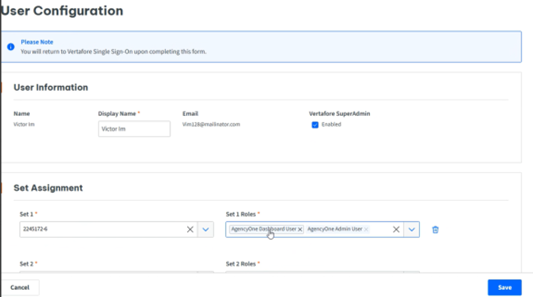
-
-
Access the Unified Search by clicking the button, which will slide open a new window from the right side of the screen.
-
Recent Clients Display
-
The Unified Search window automatically displays Recent Clients when opened, or when the search field is empty.
-
Recent Client cards include a title linked to AgencyOne, plus subtitles, action items, badges, and dynamic body content.
-
The list will automatically update whenever a user interacts with a card, such as when clicking on the title link or an action item.
-
-
Recent Clients Management
-
Displays the twenty most recent clients accessed.
-
Automatically updates the list with new searches while removing the oldest client from the list.
-
Client names are clickable links that navigate to the respective customer profile in AMS360 or other products.
-
-
Search Functionality
-
Users can begin a search by typing at least two characters.
-
A warning message will appear if only one character is entered, which then prompts the user to enter a minimum of two characters.
-
Search results are character-sensitive and provide suggestions for individual and business names.
-
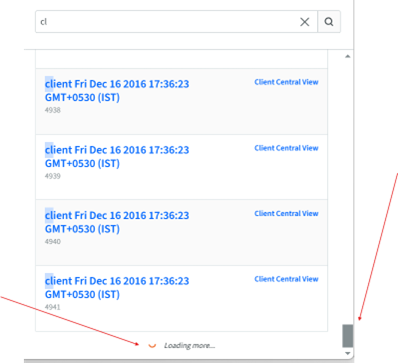
The results are scrollable, utilizing an infinite scroll mechanism.
-
-
Options Menu (Kebab/Dots)
-
Provides quick access to:
-
Client Overview
-
P&C Details (AMS)
-
Benefit Details (BenefitPoint, if applicable)
-
-

As with Bento Box, Unified Search is exclusively a VSSO-enabled function. The user must also have AgencyOne.
Step 1: Log into the Global Navigation environment with your VSSO-enabled credentials that were configured with AgencyOne and AMS360 products. Other integrated products include Commercial Submissions, Credential Manager, PL Rating, ImageRight, and Reference Connect.
Step 2: Click on the Vertafore Single Sign-On link and enter your credentials to successfully log in.
Step 3: Select "Agency" and enter "AMS360."
Step 4: As verification, the AMS360 home page should pop up with the Agency One logo in the corner, as well as the updated navigation bar. Unified Search will be indicated by the Spyglass icon.

If the screen size is reduced, the Hamburger icon (three horizontal lines) will replace the top navigation bar. You can locate Unified Search in the drop-down menu.
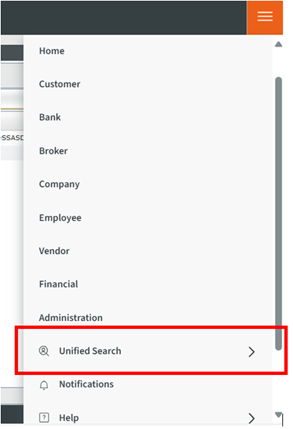
Step 5: Recent Clients will display; you can select from this list...
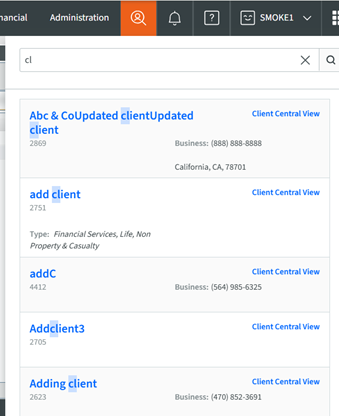
Step 6: <OR> you can begin your search. You must type two characters to get results. The results are scrollable.
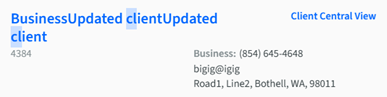
NEW CARD INFORMATION SECTION
-
Each Card will display some basic information
-
The previous Action Item Menu, indicated with three dots has been replaced with the Client Central View link
-
Clicking the Client Central View will lead back to the AgencyOne page